Table of Contents
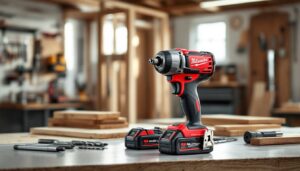
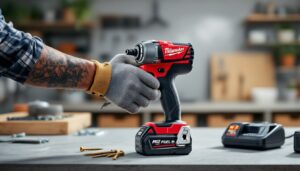
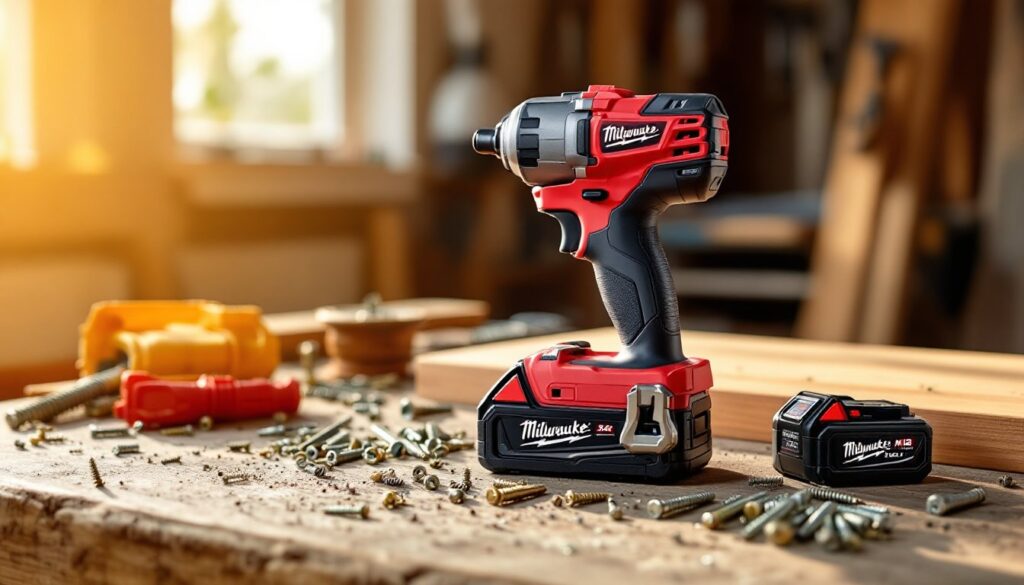
ToggleThe Milwaukee Gen 3 impact driver has become a staple in toolboxes across the country, and for good reason. Whether you’re hanging cabinets, assembling furniture, or fastening subfloor, an impact driver delivers the rotational torque and speed that a regular drill simply can’t match. The newest generation raises the bar with improved runtime, refined ergonomics, and better control for both delicate trim work and heavy-duty fastening. If you’re considering upgrading your cordless toolkit or building it from scratch, understanding what the Gen 3 brings to the table, and how it compares to what came before, will help you make a confident purchasing decision that matches your actual project needs.
Key Takeaways
- The Milwaukee Gen 3 impact driver delivers 1,500–2,800 inch-pounds of torque with an optimized brushless motor that provides consistent power from a full battery charge to nearly empty.
- Backward compatibility with Milwaukee’s M18 ecosystem means you can use existing batteries and chargers, eliminating unnecessary duplicate purchases when upgrading your cordless toolkit.
- The adjustable speed dial enables precise control for delicate trim work and heavy-duty fastening, making the Gen 3 forgiving enough for DIYers while delivering professional-grade performance.
- Real-world runtime of approximately 45 minutes on a single charge handles most home projects like decking, cabinet installation, and subfloor fastening without requiring constant battery swaps.
- At $99–$149 for the bare tool and $199–$249 for a kit with battery and charger, the Milwaukee Gen 3 represents a modest $30–$50 premium over budget competitors that justifies superior reliability and runtime over 5–10 years of ownership.
What Makes the Milwaukee Gen 3 Stand Out
The Milwaukee Gen 3 impact driver separates itself from older models and competitor offerings through a combination of refined engineering and user-focused design. The motor has been optimized to deliver consistent power across the battery’s discharge curve, meaning you get stable performance whether the battery is fully charged or nearing empty. That consistency matters on real jobs, you’re not fighting variable resistance when driving the last few fasteners late in the day.
Battery compatibility is another significant advantage. The Gen 3 works seamlessly with Milwaukee’s M18 ecosystem, so if you already own batteries and chargers from their cordless lineup, you can skip buying duplicates. This backward and forward compatibility makes incremental tool purchases far less painful on the wallet. Also, the compact, lightweight design reduces fatigue during overhead work or when you’re driving hundreds of fasteners in a single session. Ergonomics matter less when a project takes thirty minutes: they become critical when you’re remodeling a kitchen.
Key Features and Specifications
Motor Power and Torque Output
The Gen 3 delivers 1,500 inch-pounds of torque in the lower speed setting (0–1,500 RPM) and 2,800 inch-pounds in the high-speed mode (0–2,800 RPM). That translates to effortless driving of 3/8-inch lag bolts and 1/2-inch fasteners into pressure-treated lumber without stalling. The motor brushless design extends service life by eliminating brush wear, a feature that reduces maintenance and extends tool longevity compared to brushed predecessors.
The adjustable speed dial gives you control over power delivery. This is not merely a convenience, it’s essential for tasks where you need finesse. Driving trim screws into finished drywall near electrical outlets demands low speed and controlled torque to avoid blowthrough. The same tool at full throttle will snap a 1-1/4-inch trim screw in half before you can blink. Practical experience shows the speed adjustment is the difference between pristine trim work and costly rework.
Battery Performance and Runtime
Milwaukee equips the Gen 3 with an improved M18 lithium-ion battery pack that provides approximately 45 minutes of continuous fastening runtime on a single charge, depending on fastener size and application. Runtime estimates assume driving 3/16-inch fasteners into softwood: larger fasteners or denser materials will consume charge faster. A typical homeowner tackling a deck project, fence, or cabinet installation will complete most jobs on a single battery or rotate between two charges.
The battery management system includes temperature monitoring and a fuel gauge display, so you know remaining capacity at a glance. Cold weather reduces performance, lithium-ion batteries are temperature-sensitive, so expect 20–30% less runtime if you’re working in near-freezing conditions. If you’re building a tool collection from scratch, Milwaukee offers cordless impact drivers and batteries in various configurations, so you can choose single or multi-pack bundles based on your actual needs rather than overpaying for redundant chargers.
Real-World Performance for Home Projects
On the deck, the Gen 3 excels. A homeowner fastening 5/16-inch by 3-inch deck screws into pressure-treated joists will notice the difference immediately. The tool bites hard without chewing up the screw head, and the ergonomic grip reduces wrist strain across a day of fastening. For comparison, a standard 18-volt drill will work but requires more physical effort and slower feed rate, increasing fatigue.
Fastening subfloor or sheathing is where the impact driver truly justifies its presence. Driving 2-1/2-inch structural screws into rim board and joists demands sustained torque: the Gen 3 handles this without hesitation. The compact head allows access in tight spaces where larger tools won’t fit, a real advantage in rim joist work and confined attic fastening. For interior trim, cabinetry, and finish work, the low-speed setting shines. Pocket-hole joinery, shelf brackets, and trim installation all benefit from the controlled power and the ability to adjust output on the fly without stopping.
Honestly, the tool’s limiting factor on home projects isn’t the driver itself but user technique. Stripping screw heads comes from misalignment, not insufficient torque. Blowthrough on trim happens when speed is too high, not from lack of power control. Home renovation tutorials and tool reviews emphasize that a skilled user with a mid-tier impact driver outperforms an unskilled user with top-tier equipment. The Milwaukee Gen 3 is forgiving enough that technique improves naturally, making it excellent for DIYers still building confidence.
Comparison with Previous Generations and Competitors
The Gen 2 (prior generation) delivered similar headline torque but suffered from inconsistent speed ramp-up and noisier motor operation. The Gen 3 maintains torque while quieting the tool noticeably and improving speed response. For users upgrading from Gen 2, the practical benefits are refinement rather than revolution, you’re getting a smoother, quieter tool that’s slightly faster.
Against competitors in the budget-to-mid-tier space, the Milwaukee Gen 3 holds its ground. DeWalt’s 20V impact driver matches torque specs and battery ecosystem strength, but Milwaukee’s ergonomic refinement edges slightly ahead in extended use. Makita’s 18V compact model is lighter and more nimble for overhead work, but Milwaukee’s battery runtime is superior. Bosch’s compact impact driver costs less upfront but uses a proprietary battery ecosystem, meaning future tool purchases lock you into their platform. The tool review discussions on seasonal repair guides consistently highlight that Milwaukee’s ecosystem flexibility and runtime consistency make it the practical choice for homeowners building a comprehensive cordless toolkit.
Price-wise, expect to pay $99–$149 for the bare tool (no battery or charger) and $199–$249 for a kit with one battery and charger. Regional variations and seasonal sales fluctuate pricing, so locking in a specific figure isn’t wise. But, the premium over budget competitors is modest, often just $30–$50, and justified by better runtime and reliability over a 5–10 year ownership span.
Is the Milwaukee Gen 3 Right for Your DIY Needs
Start by asking yourself how frequently you fasten things. If you’re assembling furniture once or twice a year, a corded drill or even manual fastening might suffice. If you’re tackling seasonal projects, decking, fencing, framing, cabinetry, an impact driver becomes genuinely valuable, not a luxury. The speed and control it offers will pay dividends across multiple projects.
Consider your existing tool ecosystem. If you already own Milwaukee batteries and a charger, the Gen 3 is a no-brainer, you’re simply buying the tool. If you’re starting from zero, factor in the cost of two batteries and a dual-port charger (roughly $150–$200 additional). That total investment of $350–$400 is real money, but amortized across 10 years of projects, it’s roughly $35–$40 annually.
Finally, be honest about your skill level. A beginner benefits enormously from an impact driver’s forgiveness and ease of use. Experienced builders value the speed and precision. There’s no skill floor, the Gen 3 performs well in any competent hands and grows with your abilities. If you’re uncertain whether an impact driver fits your needs, rent one for a weekend project. A local tool rental shop will charge $15–$25 daily and instantly answer whether the tool justifies its place in your collection. Most DIYers who try one become converts within the first afternoon.